> ## Documentation Index
> Fetch the complete documentation index at: https://traceroot.ai/docs/llms.txt
> Use this file to discover all available pages before exploring further.
# Alerts
> Send detector findings to email and Slack
An alert fires once the two-step pipeline completes: the LLM-as-a-judge flags a trace, the TraceRoot AI agent finishes its root cause analysis, and the combined result lands in your configured channels. Email is supported by default; Slack is available on Pro plans and above.
## Email
Each finding produces one email containing:
* The detector name and the LLM-as-a-judge's short summary of what was identified.
* A direct link to the trace in TraceRoot Cloud.
* The full root cause analysis written by the TraceRoot AI agent (root cause, code location, recent changes, recommendation).
## Slack
Slack delivery is available on **Pro plans** and above. The integration is workspace-level — one Slack workspace per TraceRoot workspace, with a single destination channel.
 ### Connect Slack
1. Open **Settings** then **Integrations** as a workspace admin.
2. Click **Connect** and complete the OAuth flow in your Slack workspace.
3. Pick the channel TraceRoot should post alerts to.
If your plan doesn't include Slack, the connect button takes you to the upgrade page instead of starting the OAuth flow.
### What Slack alerts contain
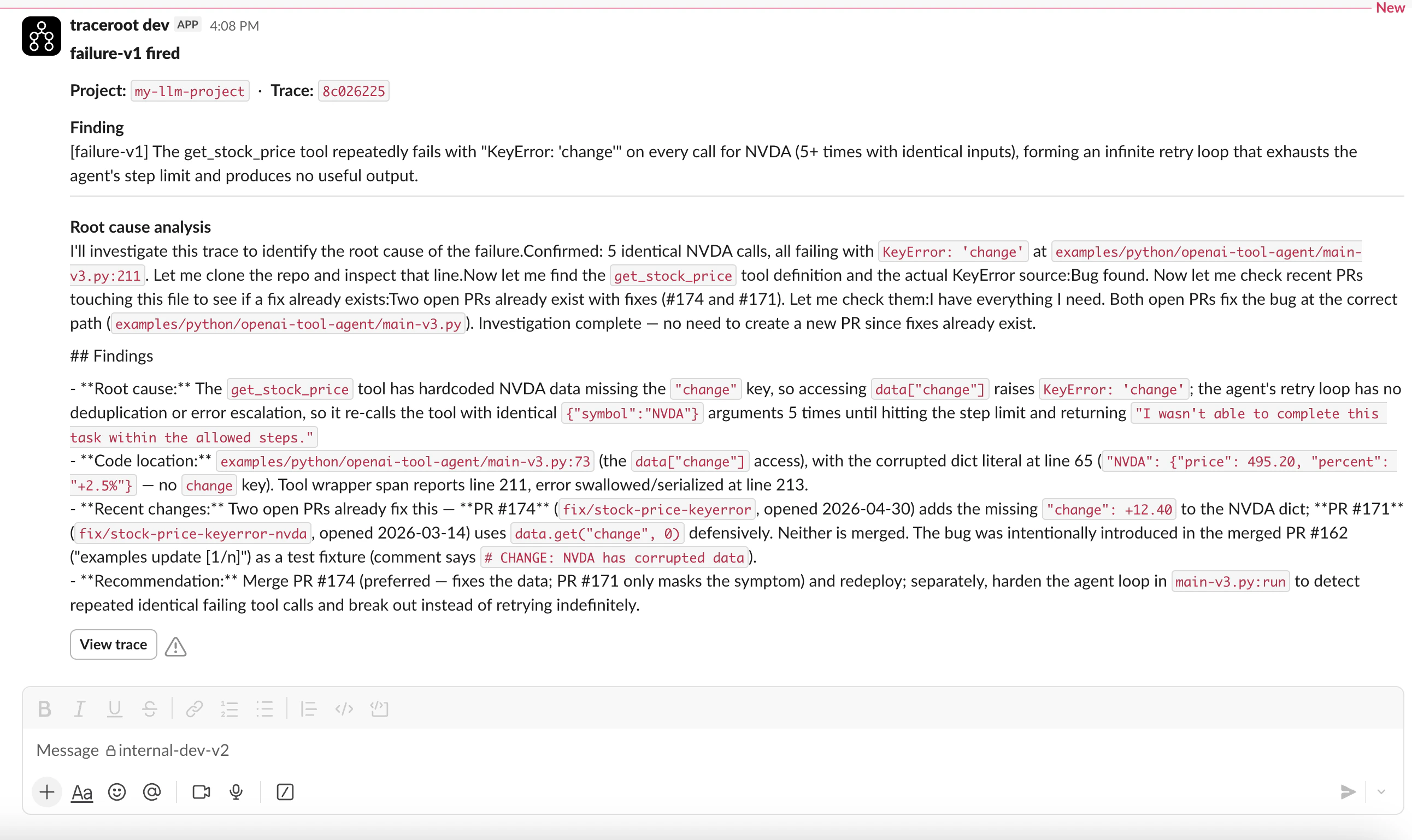
The judge's finding summary plus the AI agent's RCA — formatted as a Block Kit message with a button that opens the trace directly in TraceRoot Cloud.
### Connect Slack
1. Open **Settings** then **Integrations** as a workspace admin.
2. Click **Connect** and complete the OAuth flow in your Slack workspace.
3. Pick the channel TraceRoot should post alerts to.
If your plan doesn't include Slack, the connect button takes you to the upgrade page instead of starting the OAuth flow.
### What Slack alerts contain
The judge's finding summary plus the AI agent's RCA — formatted as a Block Kit message with a button that opens the trace directly in TraceRoot Cloud.