> ## Documentation Index
> Fetch the complete documentation index at: https://traceroot.ai/docs/llms.txt
> Use this file to discover all available pages before exploring further.
# Notifications
> Send detector finding digests to email and Slack
Detector notifications are **windowed digests**. At the end of each configured window, TraceRoot groups findings by detector and sends one digest to every configured channel. The default window is **10 minutes**; the available windows are **1 minute, 5 minutes, 10 minutes, 30 minutes, 1 hour, and 2 hours**.
The digest does not wait for root cause analysis to finish and does not contain the RCA. Open the linked trace or finding in TraceRoot to read the analysis.
## Configure notifications
Open **Project Settings → Detectors → Notifications**. From there you can:
* Add the email recipients for this project.
* Change the **Alert window** from its 10-minute default.
* See whether the workspace Slack integration is connected and open its settings.
If the project has no email recipients and no Slack destination channel, nothing is sent.
Only findings from detectors with **Run root cause analysis on findings** enabled are included in notification digests. Detectors with RCA turned off still record findings in TraceRoot, but those findings are left out of email and Slack notifications.
## Digest contents
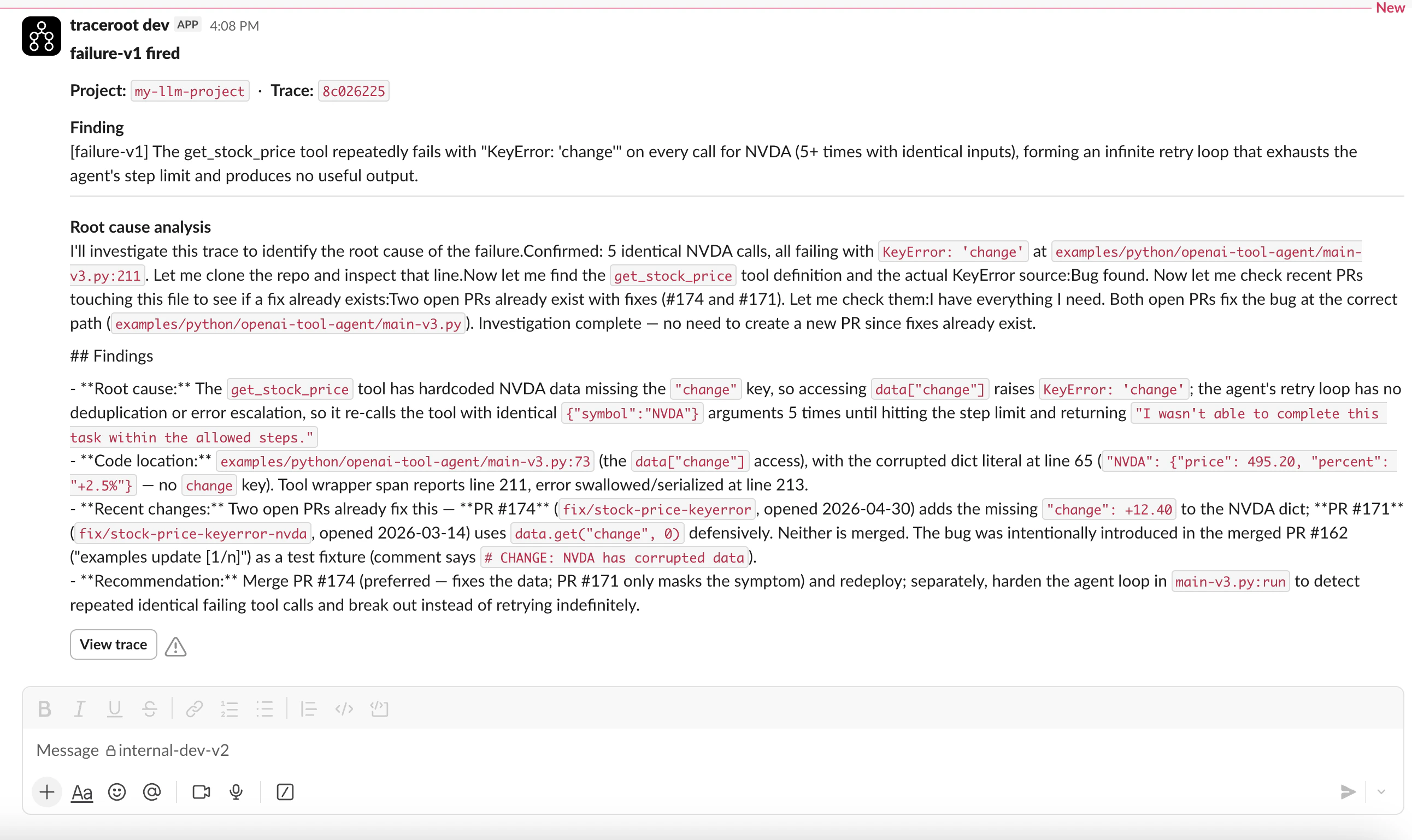
Email and Slack receive the same digest content:
* Each detector's name and number of findings in the window.
* A link to the latest trace for each detector.
* An optional short, one-paragraph LLM summary of the window.
The email also links to all findings. Slack links each detector name to its findings for the window.
The summary is best effort, so a digest can arrive without it. It is also omitted for a Free workspace that has reached its RCA quota. Root cause analyses remain available in TraceRoot and are never embedded in the digest.
## Email
Email recipients are configured per project under **Project Settings → Detectors → Notifications → Email**. Add one or more addresses and save the list; an empty list disables email delivery for that project.
## Slack
Slack delivery is available on every plan. The integration is workspace-level — one Slack workspace per TraceRoot workspace, with a single destination channel.
 ### Connect Slack
1. Open **Settings** then **Integrations** as a workspace admin.
2. Click **Connect** and complete the OAuth flow in your Slack workspace.
3. Pick the channel TraceRoot should post notification digests to.
### Connect Slack
1. Open **Settings** then **Integrations** as a workspace admin.
2. Click **Connect** and complete the OAuth flow in your Slack workspace.
3. Pick the channel TraceRoot should post notification digests to.