Jev as a judge in TraceRoot detectors
Connect TypeSafe AI's Jev to TraceRoot detectors to screen agent traces and inspect the decisions behind each finding.
 Xinwei He
Jev is now supported as a detector judge in TraceRoot. Connect your TypeSafe AI key, select Jev in a detector, and use it to screen incoming agent traces for failures, hallucinations, and incomplete tasks.
What is Jev?
Jev is TypeSafe AI's first System One model, built to make structured decisions from natural-language input. Give it context and a focused question, and it returns a typed answer with probabilities that software can use directly.
Jev supports three question types:
- Choice selects from defined options, such as failure categories, and returns probabilities and confidence.
- Score rates an outcome against a rubric, such as task completeness, and returns a score, probabilities, and confidence.
- Noul answers a yes/no question by returning the probability of yes, such as whether a trace contains a problem.
That makes it a useful fit for production monitoring, where the same judgment runs across many traces. Jev can evaluate multiple questions independently against the same context in one request. As of September 25, 2026, TypeSafe lists its price at $0.042 per million input tokens, with output tokens free. See TypeSafe's model pricing.
TraceRoot uses two of Jev's question types together: Noul checks whether a problem exists, and Choice identifies the most likely category. You define what the detector should look for; TraceRoot handles the questions and records the result. Start with a few known failures and successful runs to check how well the judge matches your criteria.
Set up Jev in TraceRoot
You'll need a project receiving agent traces. If you haven't set that up, follow the tracing quickstart or try an example agent.
1. Connect your TypeSafe AI key
Create an API key in the TypeSafe console. In TraceRoot, open Workspace Settings → Model Providers, select TypeSafe AI, enter the key, and save. See the BYOK guide for more detail.

2. Choose Jev as your detector model
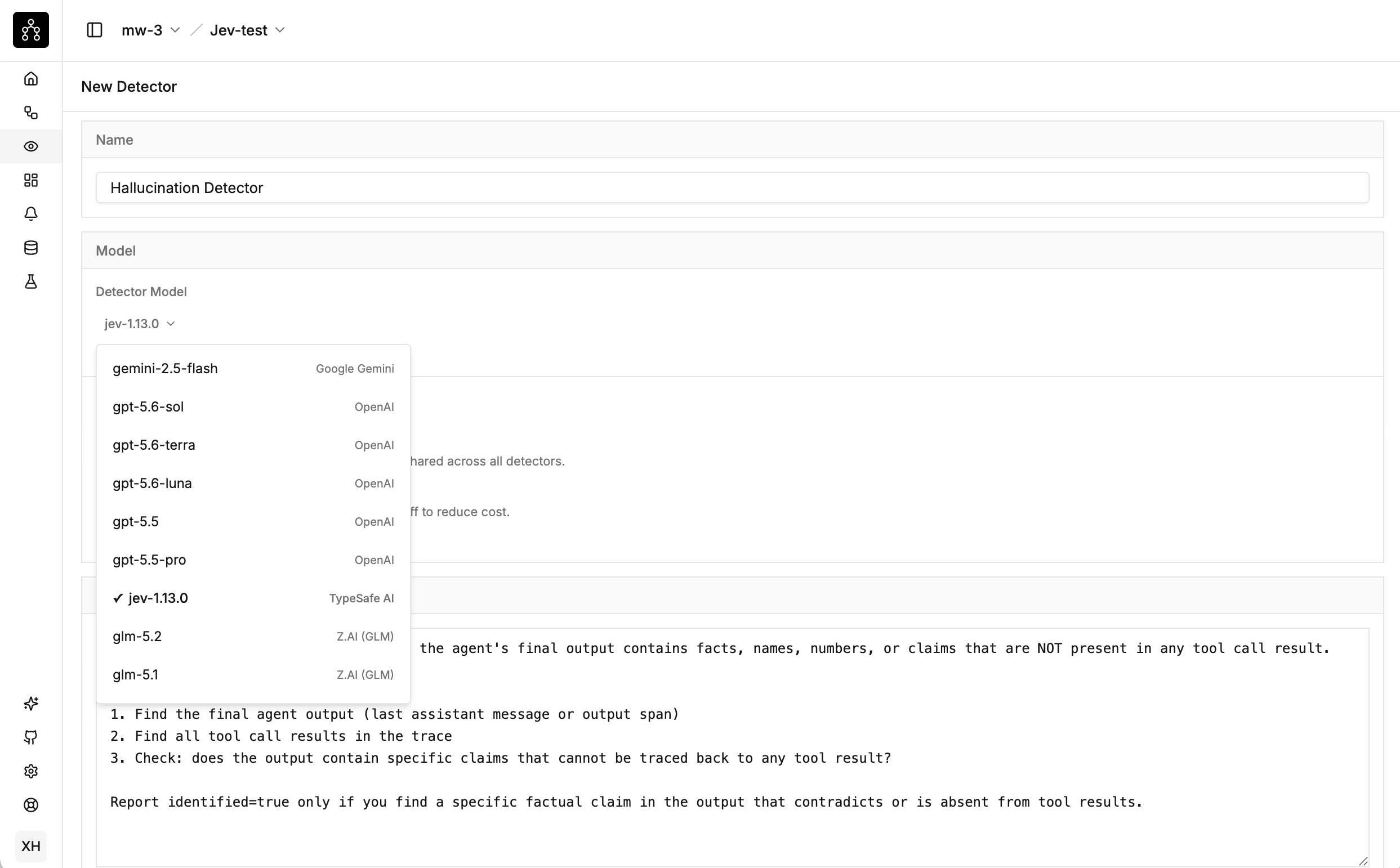
Go to Detectors → + New Detector and choose a template, such as failures or hallucinations. Review its prompt, trigger conditions, and sampling setting, then select jev-1.13.0 under Detector Model.
Click Create Detector and send new matching traces. You can also switch an existing detector to Jev in its settings.
3. Inspect the results
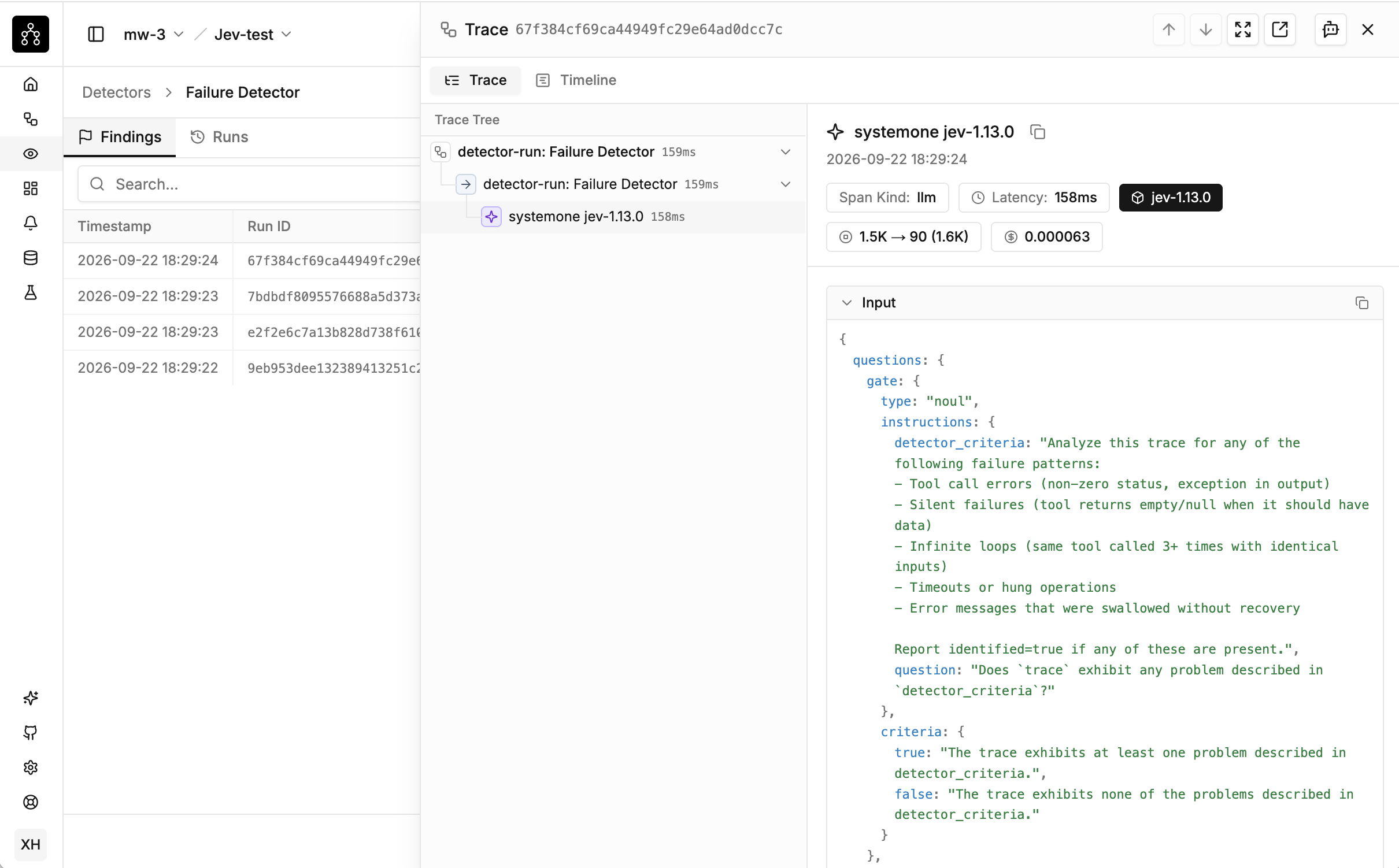
Open the detector's runs table to see which traces were flagged and their summaries. Built-in templates give Jev categories such as tool errors, silent failures, or ungrounded claims, so a finding can name the likely problem.
Click a linked Run ID to inspect the detector's execution trace. Select the Jev call to review its input questions, timing, and structured output, including the probabilities behind its decision. Use Trace ID to open the original agent run and compare that judgment with the model and tool activity.
If Run root cause analysis on findings is enabled, TraceRoot's separate RCA agent investigates flagged traces. Jev handles screening; the Agent Model handles the written investigation. Read more in the detector guide.
Open TraceRoot to connect your key and try Jev on your agent's traces.