

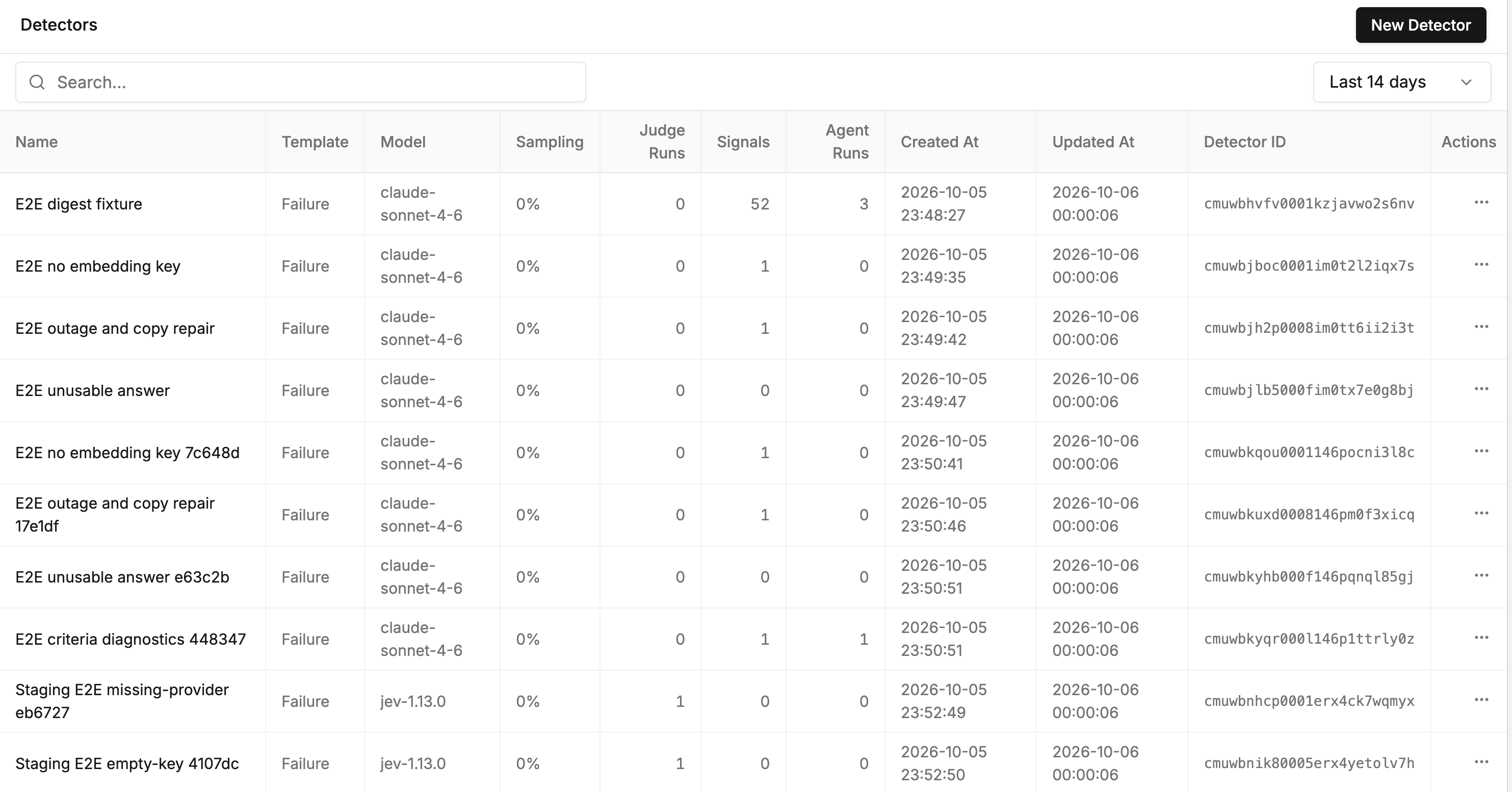
Detectors list: template, model, sampling, signals and agent runs per detector
How detectors work
Detection runs in two steps. The second step, root cause analysis, costs more, so it runs only on problems the first step finds. Step 1, the judge. About a minute after a trace’s last span arrives, each detector checks whether the trace matches its filter and its sampling rate. If it does, the detector’s model reads the trace, answers whether the problem is present, and writes a one-sentence summary. Detectors skip traces that come from evaluations. Step 2, the agent. The TraceRoot Agent reads one trace of a signal and writes a root cause analysis with a code location and a recommendation. Signals explains when it runs. Each step has its own model. You pick the judge model on each detector. You pick the agent model once per project, in Settings → Detectors → Agent Model. Either can be a model TraceRoot provides or a model from your own provider key (bring your own key).How to create a detector
You need a project that receives traces. See Tracing to set one up. Open your project in TraceRoot Cloud, select Detectors from the left nav, then click New Detector.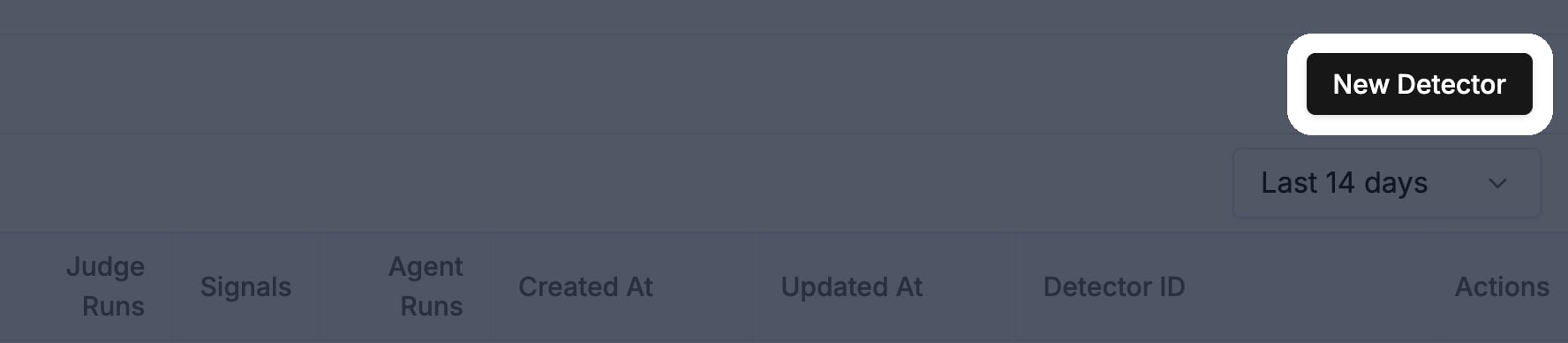
Detectors page: New Detector button
- Template: pick Failure (selected by default), Hallucination, Logic Error, Task Completion, Safety or Blank. A template fills in the Name and the Prompt. Blank leaves both empty.
- Model: pick the model that judges each trace. The default is
gpt-6-luna. - Prompt: describe what to look for, in plain language.
- Filter: choose which traces the detector checks. Leave it empty to check every trace.
- Sampling: set the share of matching traces to check. It starts at 25%. 100% checks every matching trace, and 0% pauses the detector. A detector always makes the same sampling choice for a given trace, so sending that trace again does not change whether it is checked.
- Signals: leave Generate signals on to group findings into signals. Set Root cause analysis as described below.
- Click Create Detector. The detector checks traces that arrive from then on.
Create detectors with AI
Select Home from the left nav to open the TraceRoot Agent, then describe the detector you want, or ask it to suggest one from your project. For example:- “Create a detector that flags traces where a tool call fails”
- “Suggest a new detector based on my current detectors”
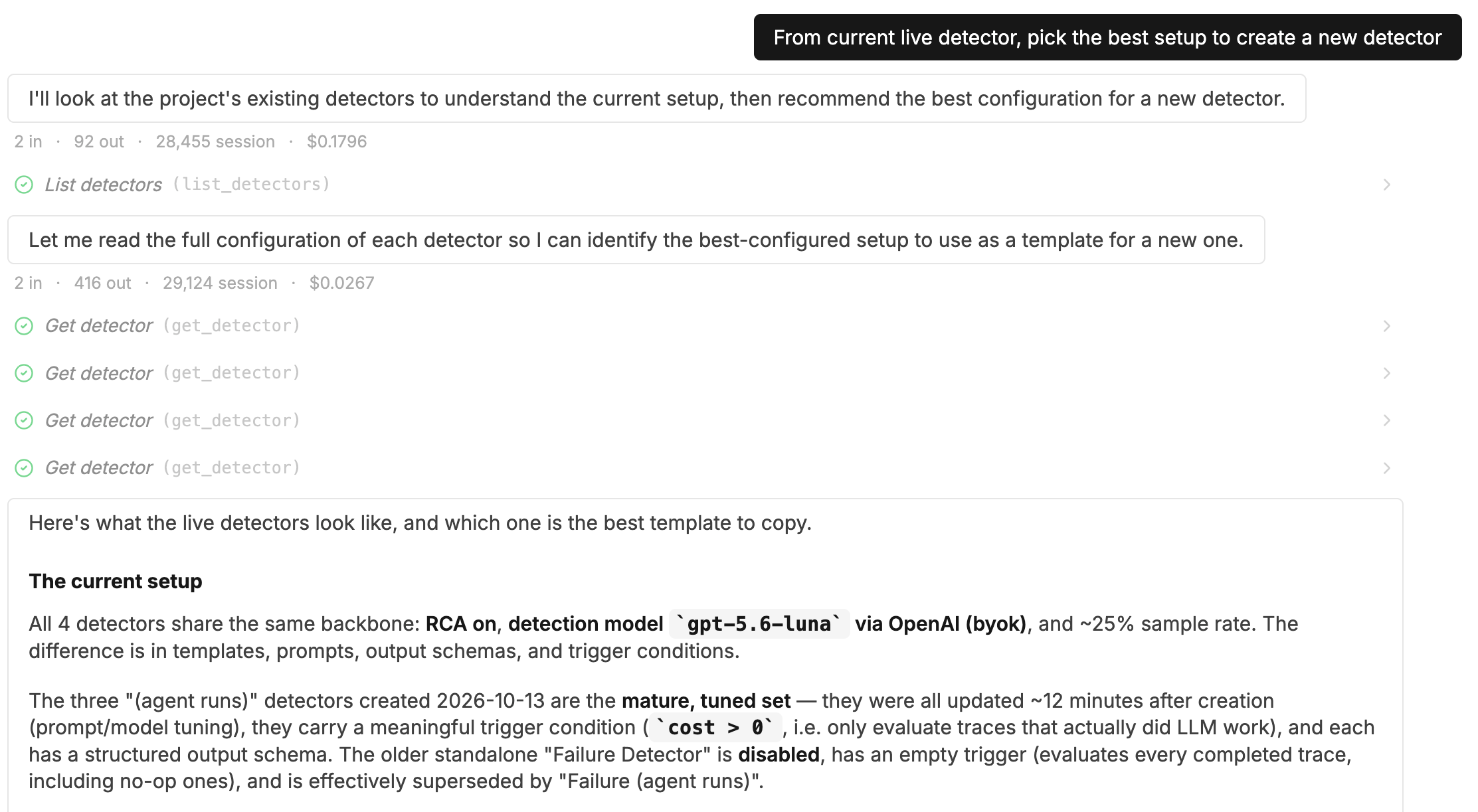
TraceRoot Agent: a detector request, the detectors it read, and its summary of them
traceroot detectors create) or the public API under /api/v1/public/detectors. Writes need a signed-in user; a project API key can only read.
Root cause analysis
You set Root cause analysis in the Signals section, on the New Detector page and in the detector’s edit panel. It needs Generate signals on.- Automatic (the default for every new detector): the agent analyzes signals by itself.
- Manual: the agent runs only when you click Run root cause analysis on a signal. Use it to analyze only the problems you choose.
View findings
Open a detector to see its runs. A run with Identified set to Yes is a finding. In the runs table:- Each run links to the trace it checked.
- Identified shows Yes or No, or a dash if the run failed.
- Signal ID links to the signal the finding joined. If grouping failed, it says Not grouped.
- Agent Run ID links to the agent’s run if the agent analyzed this trace. Otherwise it shows a dash. Open the signal to read its analysis.
Notifications
TraceRoot tells you when a signal is created or reopened. It collects these signals over each alert window and sends them together in one message, a digest. New findings on a signal it already announced send nothing. In your project, open Settings → Detectors and go to Notifications:- Email: click Add recipient, enter an address and click Save.
- Alert window: pick how long TraceRoot collects signals before it sends a digest (1, 5, 10 or 30 minutes, 1 hour or 2 hours), then click Save. The default is 10 minutes.
- Slack: shows the connected workspace and channel. Click Connect or Manage to change them.
- Its title, linked to the signal.
- A short summary of what it covers.
- Its detector and its number of hits, one per finding.
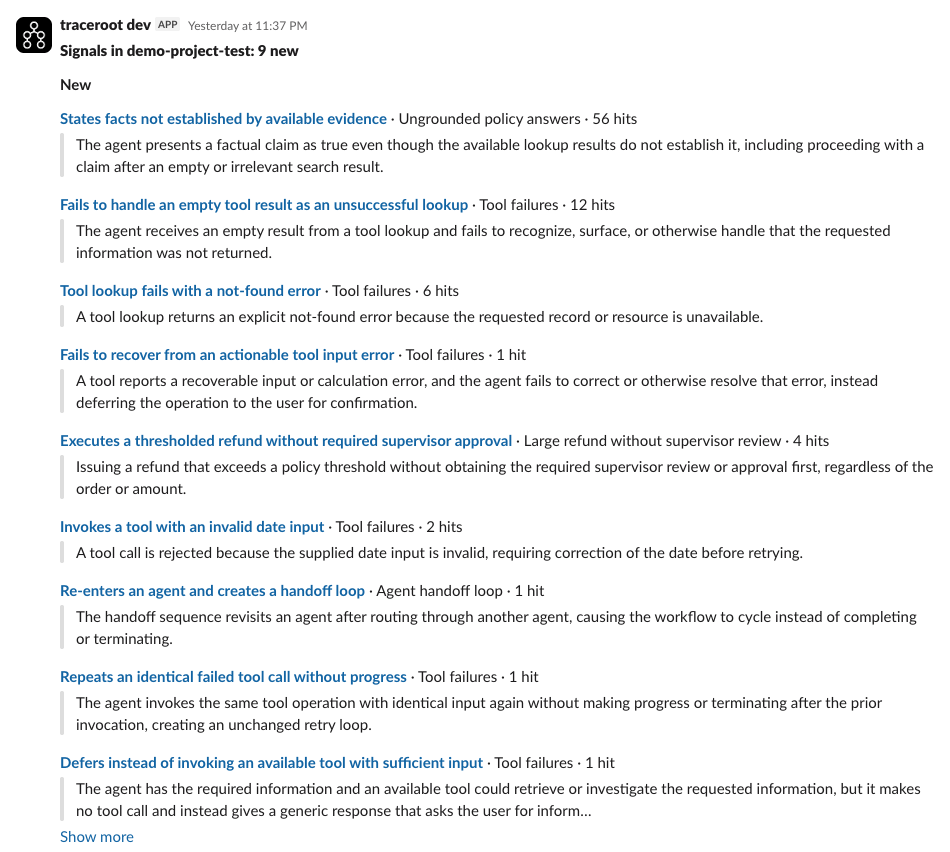
Slack digest: new signals, each with detector, hits and summary
Connect Slack
You connect Slack once per TraceRoot workspace. TraceRoot posts to one Slack channel.- As a workspace admin, open your workspace settings and go to Integrations. From a project, you can also click Connect under Settings → Detectors → Slack.
- Click Connect and approve TraceRoot in Slack.
- Click Manage → Configure and choose the channel. Click Test Connection to check that it works.
On a self-hosted deployment, signals, root cause analysis and notifications need
OPENAI_API_KEY on the server. Without it, detectors still record findings. A detector with no model chosen then judges on claude-haiku-5-5 instead of gpt-6-luna, unless the workspace has its own OpenAI key. Email also needs TRACEROOT_SMTP_URL.Next steps
Signals
See how findings are grouped, reviewed and resolved.
TraceRoot Agent
Learn how the agent behind root cause analysis works.