Back to all updates
Introducing Evaluations
Run your agent over a dataset from Python or TypeScript, then review scores, traces and run comparisons in TraceRoot.
Evaluations let you test a change to your agent against a fixed set of cases before it reaches users. Each case runs as its own trace, so when a score drops you can open the case and see what the agent did.
Upgrade to traceroot 0.2.0 or @traceroot-ai/traceroot 0.3.0 and call evaluate with a dataset, your task and one or more scorers:
from traceroot import Dataset, evaluate

ds = Dataset("weather", key="weather")
ds.add({"city": "SF"}, expected="68°F")

def task(input):
    return look_up_weather(input["city"])

def reports_temp(input, output, expected=None):
    return expected is not None and expected in (output or "")

evaluate(name="weather", dataset=ds, task=task, scorers=[reports_temp])
A scorer can be a plain function, a code scorer with a threshold, or an LLM judge. Each one reports its own average and pass count instead of a single combined score.
Review a run
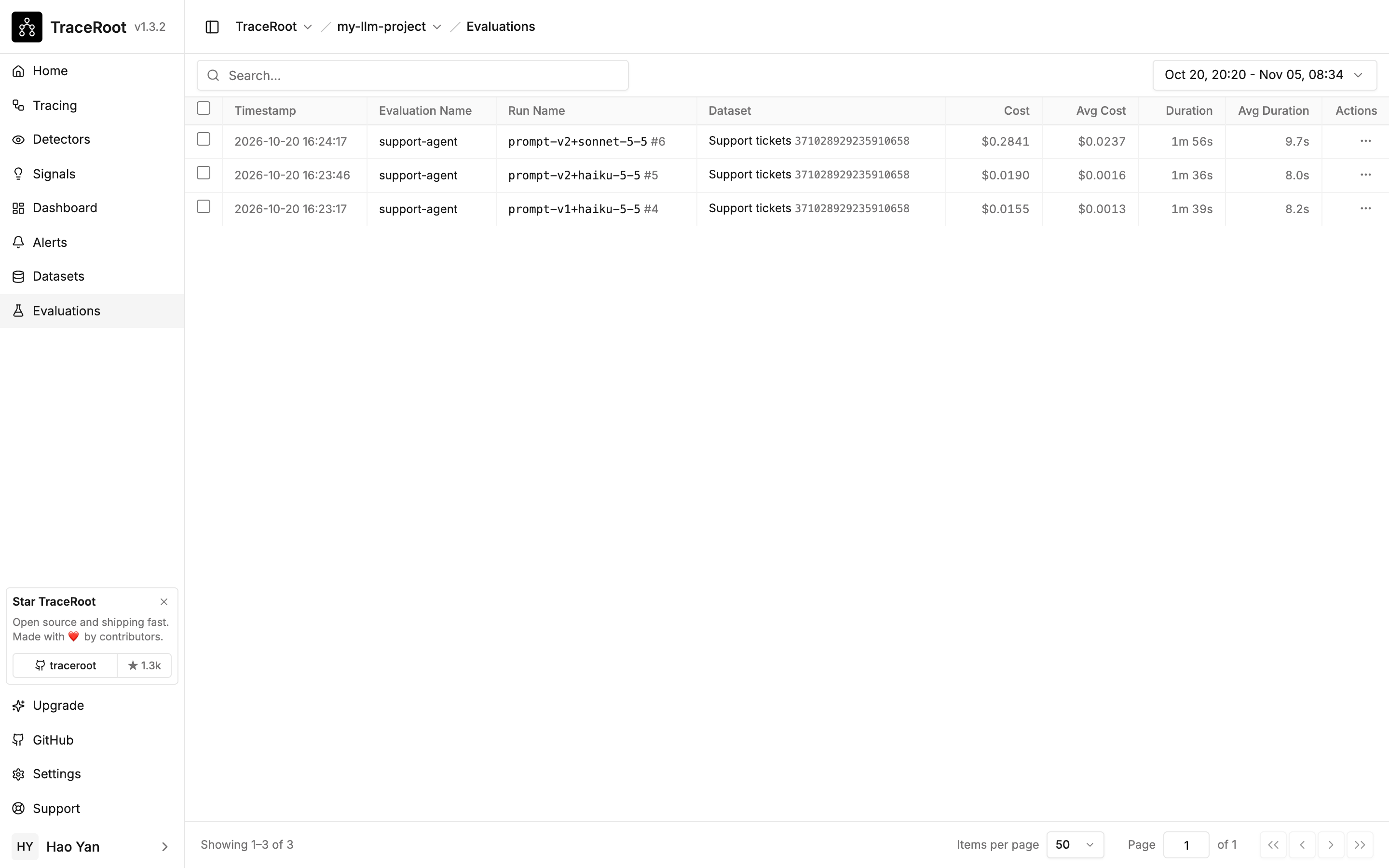
Open Evaluations to see every run with its dataset, cost and duration. A run shows each case's input, expected and actual output, its scores and the trace behind it.
Compare runs
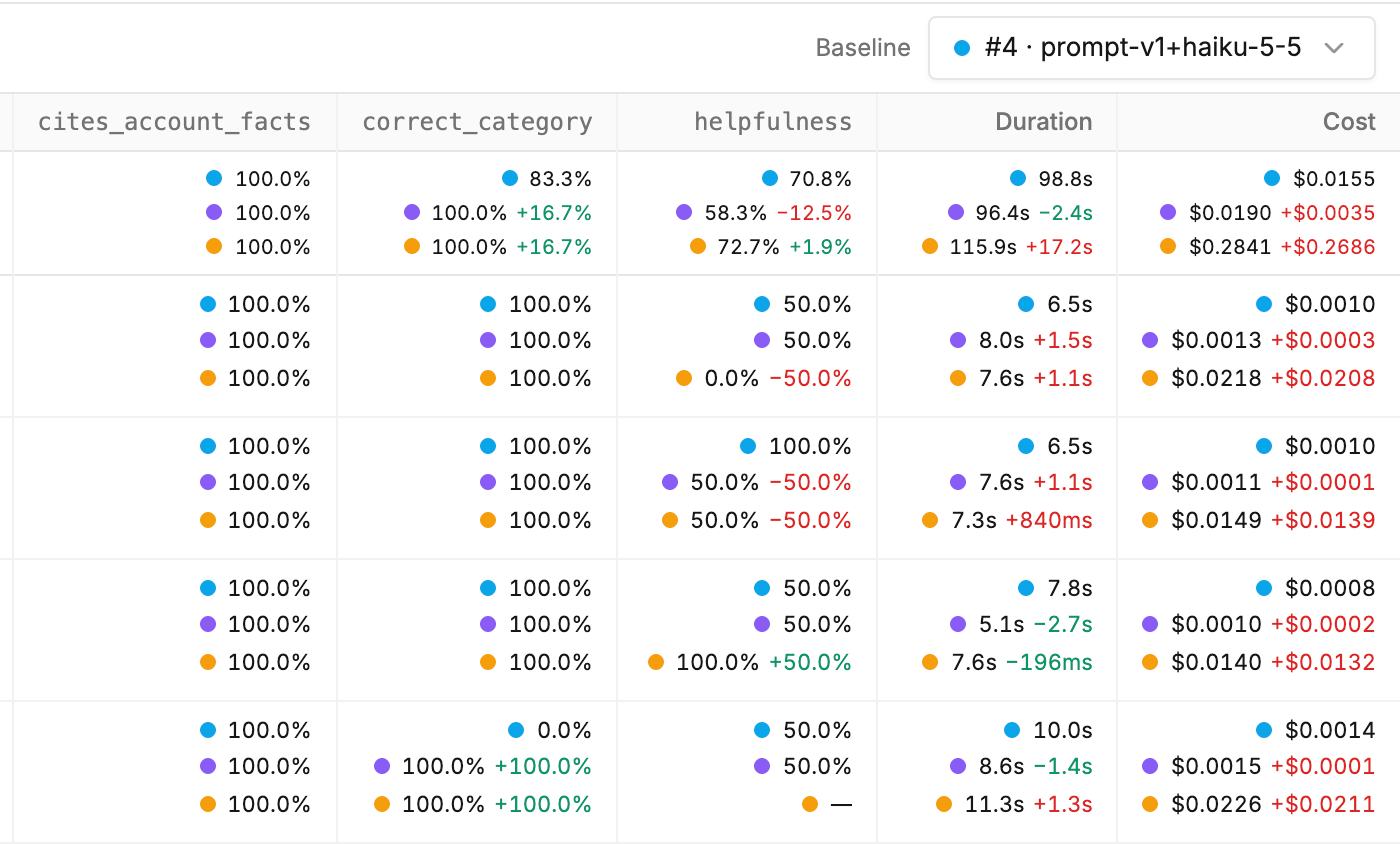
Select two or more runs on the same dataset to compare them case by case against a baseline, and see exactly which cases a new version fixed or broke.
Here, the baseline run #4 is blue, #5 (purple) uses a revised prompt, and #6 (orange) uses the revised prompt with a larger model. The top row averages every case: the revised prompt raises category accuracy from 83.3% to 100%, while helpfulness falls on #5 and cost rises sharply on #6. A dash means that case has no score.