

1. Install the SDK
- Python
- TypeScript
2. Define a dataset
ADataset holds your cases. Each case has an input and an optional expected answer.
Set key explicitly on any dataset you’ll re-run — it’s what identifies the dataset, so you can rename it later without starting a new history.
- Python
- TypeScript
3. Write a task
The task is the system under evaluation. It maps aninput to an output, and it may be async.
- Python
- TypeScript
4. Write a scorer
A scorer receives the case’sinput, output, expected, and metadata, and returns a value. The metric takes the function’s name.
- Python
- TypeScript
5. Run it
local=True runs the eval in full and reports nowhere, so you can try it without an API key.
- Python
- TypeScript
local and the run reports to TraceRoot, using the same credentials as the tracing SDK:
Neither SDK loads .env files automatically; both read the process environment. Export the variables in your shell:
.env file? Load it yourself — load_dotenv() in Python, import 'dotenv/config' in TypeScript — as the tracing quickstart shows. Frameworks such as Next.js load .env into process.env on their own, which is why it can appear to work without that step.)
candidate_version labels what you’re testing in each run: a model id, a prompt version, or a git sha. Runs are grouped into one history by evaluation_key, which defaults to name.
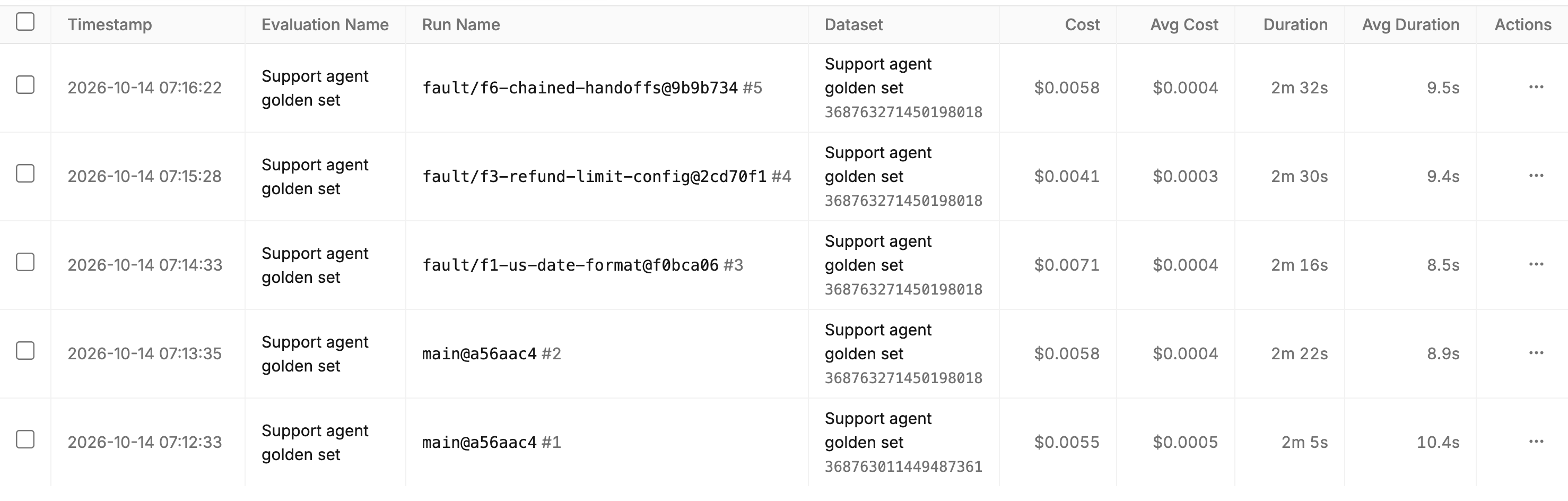
Evaluations: evaluation name, run name, dataset, cost and duration
Next steps
Datasets
Author, version, and publish datasets.
Scorers
Code scorers and LLM-as-a-judge.
Running Evals
Every option of
evaluate().Reading Results
Per-metric summaries and per-case results.
Run the example
Clone the repo and run a complete tool-agent eval end-to-end.Python
Run the Python example
TypeScript
Run the TypeScript example