

input, an optional expected answer, and optional metadata. You build it in code, save it to disk, and publish it to the platform when you’re ready.
Create a dataset
- Python
- TypeScript
key is what identifies the dataset — it defaults to the name. Set it explicitly on any dataset you’ll re-run, so you can rename the dataset later without starting a new history.
Add cases
- Python
- TypeScript
add(input, …)— add a case and return it.upsert(case)— add or replace by id, so re-running your authoring script never duplicates a case.update(id, …)— edit a case in place.archive(id)/remove(id)— retire a case, or delete it outright.
id= to use your own identifier instead — a ticket number, or a row id from your warehouse.
Save and load
save(path) writes the dataset to disk and load(path) reads it back. Use a .jsonl path for a format that diffs cleanly in a pull request.
- Python
- TypeScript
Publish a version
push() publishes the dataset to the platform as one immutable version. Re-pushing unchanged cases is a no-op; changed cases publish a new version of the same dataset.
- Python
- TypeScript
on_existing=lambda info: True (Python) / { onExisting: () => true } (TypeScript), or set TRACEROOT_ASSUME_YES=1, to skip the prompt in CI. A declined prompt raises DatasetPublishAborted.
You don’t need to publish before running an eval — evaluate() publishes a local dataset for you and never prompts. See Running evals.
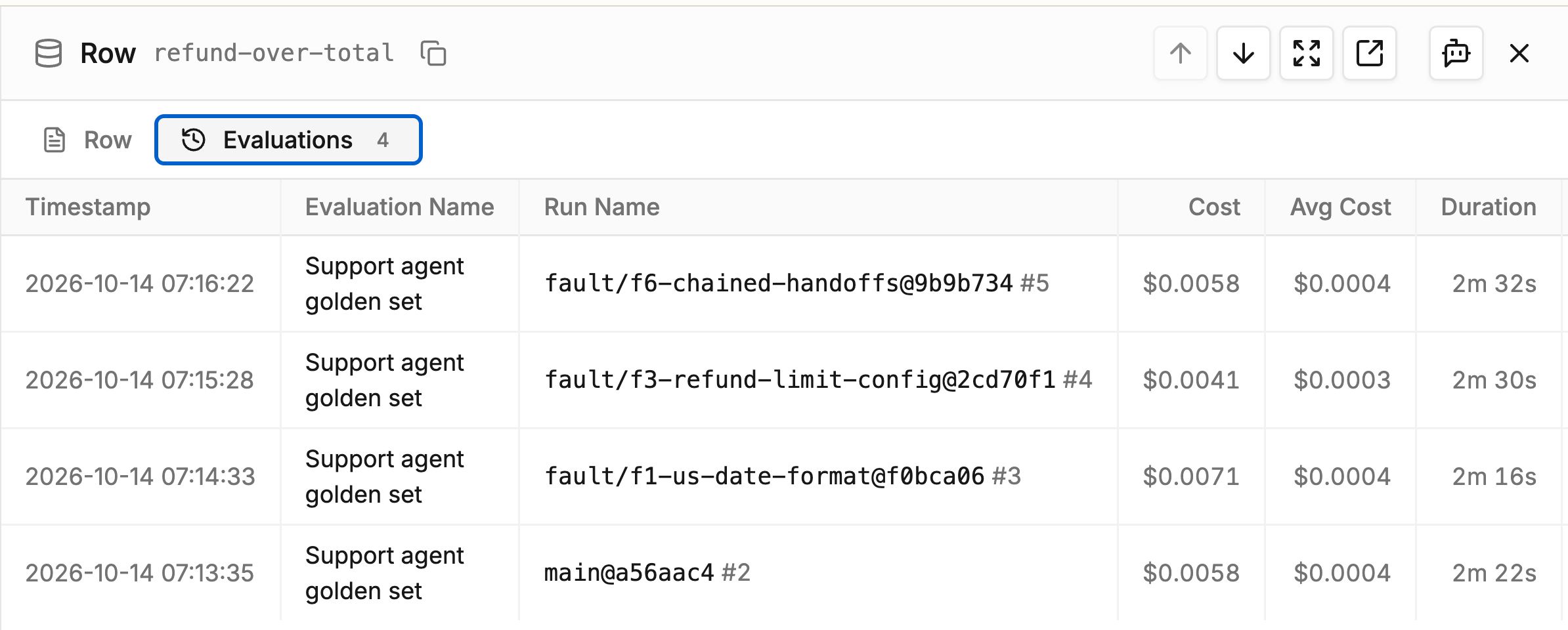
Dataset row: Evaluations tab with each run that used the case
Pull a dataset
Pull a published dataset back down as an ordinary localDataset — iterate it, edit it, save it, or evaluate against it.
- Python
- TypeScript
result.dataset.dataset_version_id) and re-run it with your own task and scorers.
To see what’s published without pulling it, the CLI lists datasets, their versions, and the cases in one version:
Next steps
Scorers
Turn a case’s output into a metric.
Running Evals
Point a task and scorers at a dataset and run it.
From the Terminal
Read datasets and their versions with the CLI.